What Entyti actually does
Feature by feature. If it is on this page, it is in the product today. What is not built yet has its own section at the bottom.

Counter
Billing
Everything that happens between the customer asking and the bill printing.
Sound-alike search
A counter is loud and brand names are close together. Entyti matches on how a name is written and on how it sounds, so a misheard or half typed name still lands on the right medicine. The same matching sits behind typing, behind voice and behind the photo scan.
- kroc finds Crocin
- krosin finds Crocin
- dono 650 finds Dolo 650
- kombiflam finds Combiflam
Salt name search works the same way, so you can find what you have when the brand you were asked for is out.
- Search that fits a counter
- Search by brand name or salt name and add the line.
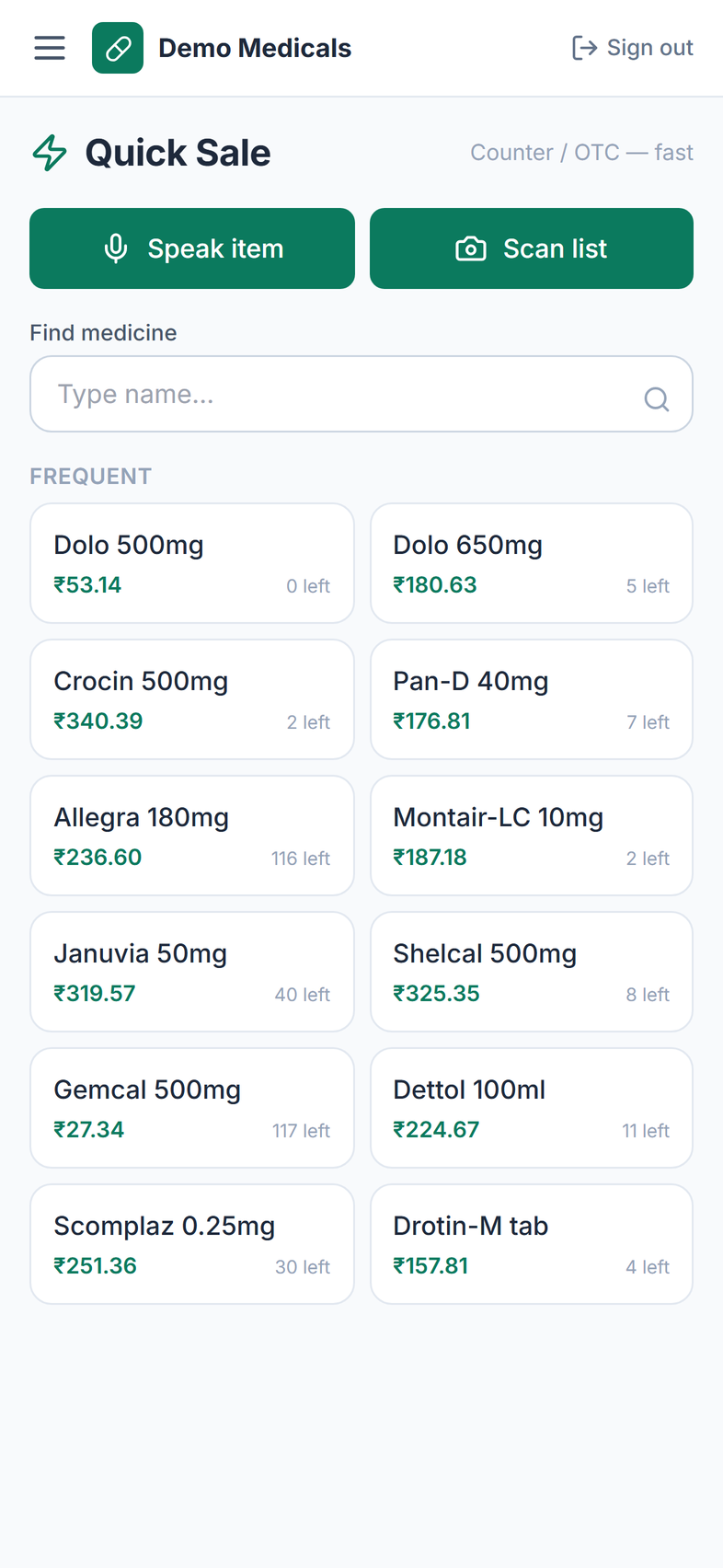
- Quick Sale
- Your frequent items on one screen, one tap each.
- Strips and loose units
- Full strip, cut strip or loose tablets, with stock adjusting for both.
- Discounts
- A percentage off a line, or a rupee amount off the whole bill.
- Round off
- Land the total on a whole rupee.
- Part payment
- Take what the customer has. The balance goes to money to collect.
- Payment modes
- Cash, UPI, card or credit.
- UPI QR
- Show a QR with the bill amount, using your own UPI ID. The customer pays you directly.
- GST on the bill
- Tax splits itself from the MRP, CGST and SGST shown on the invoice.
- Schedule H and H1
- Buyer and prescription details captured on the bill and kept in the register.
- Print or WhatsApp
- Print the bill, or open WhatsApp with the bill message written out and send it from your own number. Sending it automatically is built but not switched on yet.
Watch it bill your own medicines
Send your stock file. We set up a demo shop with your products before the call.
Stock
Inventory
Stock is held per batch, so expiry is a number the software knows, not something you remember.
- Batch level stock
- Batch number, expiry, quantity, cost and MRP on every batch.
- FEFO (earliest expiry first)
- The bill picks the batch that expires soonest, not you. That is what FEFO means, and it is why less stock dies on the shelf.
- Near expiry
- Batches expiring inside 90 days, with days left and value.
- Low stock
- Products under your reorder level, with a suggested order quantity.
- Dead stock
- Products sitting in stock with no recent sales.
- Rack
- Where the item sits in your shop.
- Photo scan
- Photograph the strip or box to fill the product and batch form.
- Bulk import
- Excel, CSV or photos of a register, brought in during setup.
Buying
Purchases
Distributor bill scanner
Photograph the bill. It comes back split into lines with product, pack, batch, expiry, quantity, rate and MRP, ready for you to check. It reads the bill by meaning rather than by a fixed template, so a new distributor's layout does not need setting up first, and a photo taken at an angle still reads.
Nothing is saved until you have looked at every line. That is the whole design.
- Manual entry
- Type the bill in when you prefer.
- Stock in
- Every saved line becomes a batch.
- Distributor orders
- Build an order from your low stock list and send it on WhatsApp.
- Receiving
- Mark an order received and the lines land on the receiving screen for you to check.
Bring one distributor bill to the demo
We scan it on the call and you see the batches land in stock.
Cash
Money
- Money to collect
- Every customer balance, with the oldest open bill.
- Payments
- Record what a customer paid and the balance reduces.
- Returns
- Goods come back into stock and the tax reverses.
- Return notes
- Numbered credit notes on GST registered shops.
- Profit
- Revenue, cost of goods and profit for any date range.
- Top earners
- The products making you the most profit.
- Stock value
- What the shelf is worth, at cost and at MRP.
- Financial position
- An indicative view of what the shop owns and owes. Not an audited statement.
Compliance
GST
Entyti works out the figures. Your accountant files the return.
- GST summary
- Taxable value, CGST and SGST for any date range.
- Monthly GST return
- GSTR-1 and GSTR-3B figures, with your invoice and credit note number ranges.
- Hand it to your accountant
- Export the file and send it.
- GST off
- Turn tax off entirely if the shop is not registered.
Show these reports to your accountant
Book a demo and we will walk both of you through the GST return figures.
Intelligence
AI that reads, listens and writes it down
Five things. Every one of them puts the result in front of you, and nothing is saved to your shop until you say so.
- Distributor bill scanner
- Reads dense Indian distributor bills, including a photo taken at an angle.
- Strip and box scan
- Reads a medicine label into a product and a batch.
- Voice search
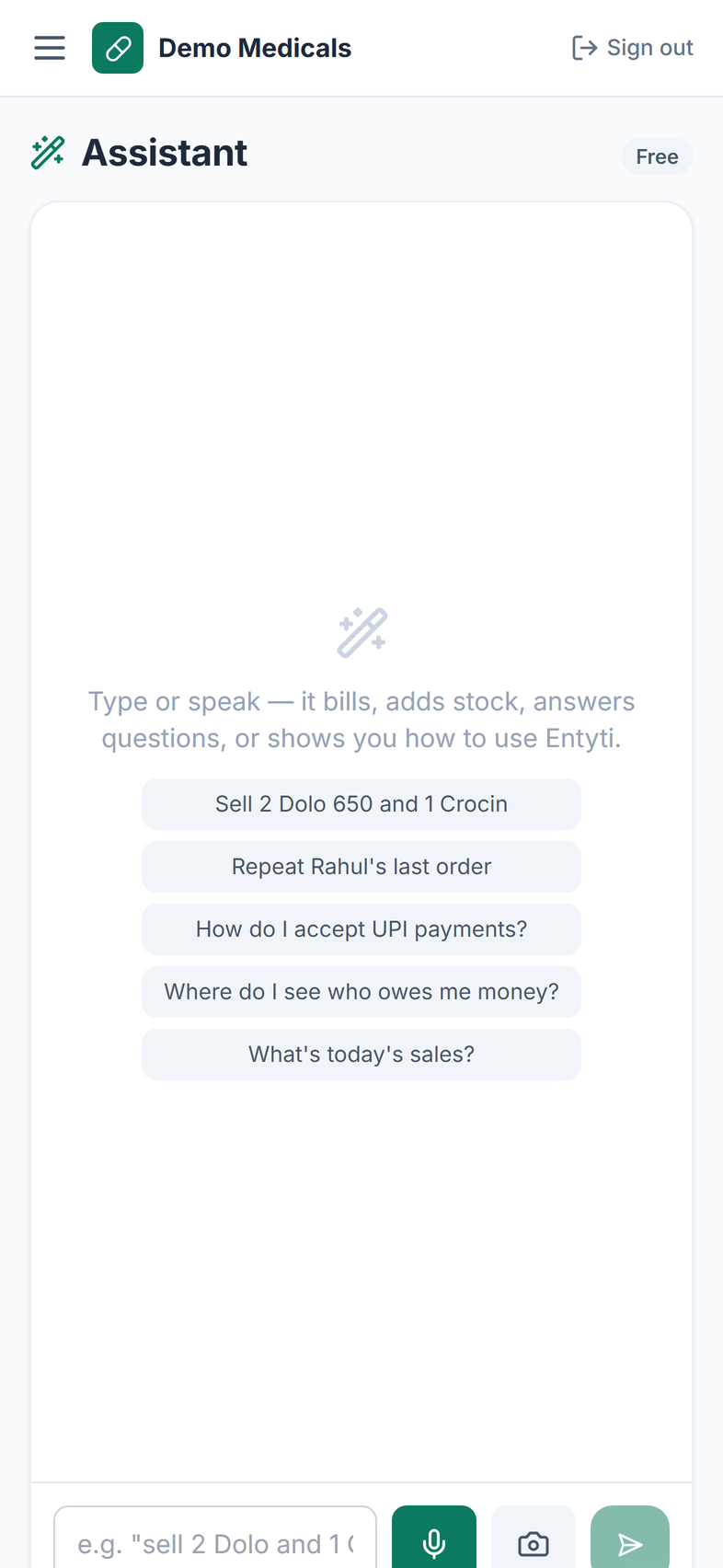
- Tap the mic, say the name, it goes into the search box. It runs on the counter PC and on a phone, and it is matched by the same sound-alike search.
- Assistant
- Ask about your own stock, sales and balances in plain language. It writes you a prioritised reorder plan or a near expiry action plan from your own stock. You create the order yourself on the Purchase orders screen, where the low stock list is one tap away.
- Metering
- AI runs are counted against your plan. You can see the counter in the app.
Access
Shop and team
- Roles
- Owner, counter staff and accountant. The accountant is read only.
- Invites
- Add a person with a join code, remove access when you need to.
- More than one shop
- One login, several shops, a switcher in the header. Each shop's data stays separate.
- Shop setup
- Your logo, shop name, address and GSTIN print on the bill. Your UPI ID drives the payment QR on screen.
Devices
Where it runs
- Browser
- Counter PC, tablet or phone. Nothing to install.
- Cloud
- Your data is hosted and isolated per shop at the database level. Only your logins can reach it.
- Android
- Install the Android app directly from us. It is not on the Play Store.
- Offline billing Rolling out
- Not switched on yet. Today the app needs an internet connection to save a bill.
Two honest notes. Offline billing is rolling out and is not on your shop yet. Bluetooth thermal printing is not built at all, so plan on a printer your counter PC or phone can already print to.
See it on the device you actually use
Counter PC, tablet or your own phone. We will run the demo on it.
Not built yet
We list this so you are not surprised. These are not in the product today.
- Barcode scanning at the counter
- Bluetooth thermal printing
- Customer intelligence and loyalty
- Marketing campaigns
- Demand forecasting
- Warehouse management
- Central purchasing across shops
- Approval workflows
- Public APIs
If one of them decides your purchase, tell us before you buy.
The ledger
Every feature and its status
Two states, nothing in between. Live means it is on your counter this week. Rolling out means it is being built and we will not sell it to you as finished.
Billing
- Sound-alike search
- Misspelt or misheard medicine names still find the right product.
- Live
- Quick Sale grid
- Your frequently sold items on one screen, one tap each.
- Live
- Strips and loose units
- Sell a full strip, a cut strip or loose tablets, with stock adjusting for both.
- Live
- Discount and round off
- A percentage off a line, a rupee amount off the whole bill.
- Live
- Part payment
- Take what the customer has. The balance moves to money to collect.
- Live
- GST bill and print
- Tax splits from the MRP. CGST and SGST print on the invoice.
- Live
- UPI QR on screen
- Show a QR for the bill amount using your own UPI ID.
- Live
Stock and compliance
- Batch level stock
- Batch number, expiry, quantity, cost and MRP on every batch.
- Live
- Earliest expiry first
- The bill picks the soonest expiring batch, not your counter staff.
- Live
- Near expiry list
- Batches expiring within ninety days, with days left and value at risk.
- Live
- Low stock list
- Products at or below your reorder level, with a suggested quantity.
- Live
- Dead stock report
- Products sitting on the shelf with no recent sales.
- Live
- Strip photo scan
- Photograph a strip or a box to fill the product and batch form.
- Live
- Rack location
- Record where an item sits on your shelf, and filter by it.
- Live
- Schedule H register
- Buyer and prescription details captured on the bill and kept.
- Live
- Distributor orders
- Build an order from your low stock list and send it on WhatsApp.
- Live
- Receive into stock
- Mark an order received and the receiving screen prefills for you to check.
- Live
Reporting and finance
- Money to collect
- Every customer balance, with the oldest open bill.
- Live
- Record a payment
- Log what a customer paid and the balance reduces.
- Live
- Returns and credit notes
- Goods go back into stock, tax reverses, GST shops get numbered notes.
- Live
- Profit reports
- Revenue, cost of goods and profit for any date range.
- Live
- Stock value and position
- What the shelf is worth, plus an indicative view of what the shop owns and owes.
- Live
- GST return figures
- GSTR-1 and GSTR-3B figures with your invoice number ranges.
- Live
Automation and WhatsApp
- Distributor bill scanner
- Photograph the bill and the lines come back for you to check.
- Live
- Voice search
- Tap the mic, say the name, and it lands in the search box.
- Live
- Shop assistant
- Ask in plain language and get a written plan from your own data.
- Live
- Send the bill on WhatsApp
- Opens WhatsApp with the bill written out. You send it from your number.
- Live
- Automatic WhatsApp send
- Sending bills and payment reminders on their own is not switched on yet.
- Rolling out
Reliability and where it runs
- Browser on any device
- Counter PC, tablet or phone. Nothing to install and nothing to buy.
- Live
- Android app
- Install the Android app directly from us. It is not on the Play Store.
- Live
- Offline billing
- Saving a bill still needs an internet connection today.
- Rolling out
Questions
Straight answers
What happens if I spell a medicine name wrong?
Search matches on spelling and on sound, so kroc, krosin and krocin all find Crocin, and dono 650 finds Dolo 650. It is the same search behind typing, voice and the photo scan matcher.
Does the software file my GST return for me?
No. It produces the GSTR-1 and GSTR-3B figures and the export for your accountant to file.
Can it read any distributor's bill format?
It reads the bill semantically rather than by template, so different layouts work. You still review every line before saving.
Does voice search work in Hindi or a local language?
Today it is tuned for medicine names spoken in English. Tell us your language during the demo and we will test it with you.
Does it do barcode scanning?
Not yet. Search, the tap grid, voice and photo scan are the ways in today.
See these features on your own stock
Send your stock file. We set up a demo shop with your products and walk you through a real day at the counter.