How you move your shop onto Entyti
Four steps. We do them with you, not over email.
Stock import and setup are included. We do it with you.

Four steps, done with you
-
Bring your stock
Send whatever you have. An Excel sheet, a CSV export from your current software, or photos of your stock register. We read it, clean it and load your products and batches. You check the list before we go further.
-
We set up your shop
Shop name, GSTIN, address, phone, logo and your UPI ID. GST on or off. Your bill format is set up the way your customers already see it.
-
We sit with you for the first bills
Owner and counter staff together. We bill real customers with you watching, then you bill with us watching. We set up your counter staff and accountant logins on the same day.
-
You run it, we stay on WhatsApp
Support is on WhatsApp and email. Updates arrive on their own, there is nothing to install.
Send your stock file and we will walk you through step one on the call.
What we need from you
- Your stock list, in any form
- Your GSTIN, if you bill with GST
- Your UPI ID, if you want the QR on the bill
- One or two hours of the owner's time on setup day
How long it takes
It depends on your stock file. A clean export loads quickly. A handwritten register takes longer, because we check it with you rather than guessing. We will tell you the honest answer after we look at your data, not before.
Send us the file and we will tell you where you stand.
After you go live
- WhatsApp for day to day questions
- Email for anything with a file attached
- Updates and security patches are covered by maintenance
- Your data can be exported at any time
Offline billing is rolling out, so today the app needs an internet connection to save a bill.
Want to see the whole day at the counter first?
Start with a demo on your own stock
Send your stock file. We set up a demo shop with your products and show you a real day at the counter.
Straight answers
Will my old bills come across?
Your products and stock come across. Past sales can be imported for reporting during setup. Tell us what you need to keep.
What if my stock file is a mess?
That is normal. We clean it with you and you approve the product list before we load it.
Do you come to the shop?
Setup is usually done over a screen share, which suits most shops. Ask us about an in person visit.
What if my counter staff are not comfortable with software?
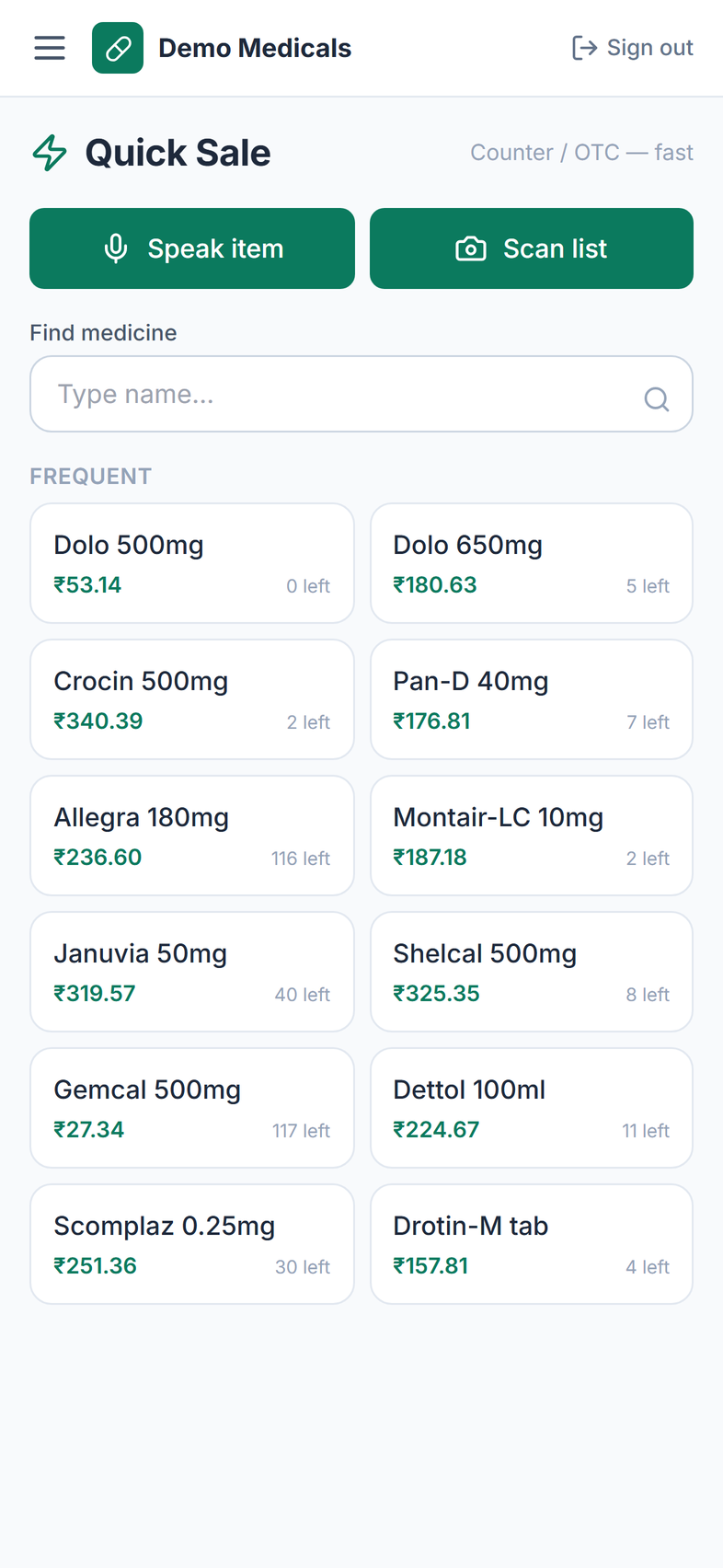
The Quick Sale screen is built for that. We train the staff on setup day and we stay reachable on WhatsApp.
What happens if I want to leave?
You export your products, stock and sales and take them with you. Your data is yours.
Anything else you want to check before you decide?